
You can deposit money to your trading account directly in your Trader Area or in FBS mobile app.
Note: some payment options are only available in certain countries. For the full list of options available to you, check the Deposit page.
Deposits must come from your own account.
We follow Anti-Money Laundering (AML) regulations for all deposits. Funds sent from an account that is not in your name cannot be accepted. In line with our policy, they are returned to the sender's account.
Please be careful and fund your account only from your own accounts. Make sure the name on your bank account, card, or e-wallet matches the name on your trading account.
To deposit using your local bank account, please follow the instructions below.
Web-version:
Click on "Finances" in the menu on the left and choose "Deposit":

Click on the account to specify which trading account you want to deposit to:
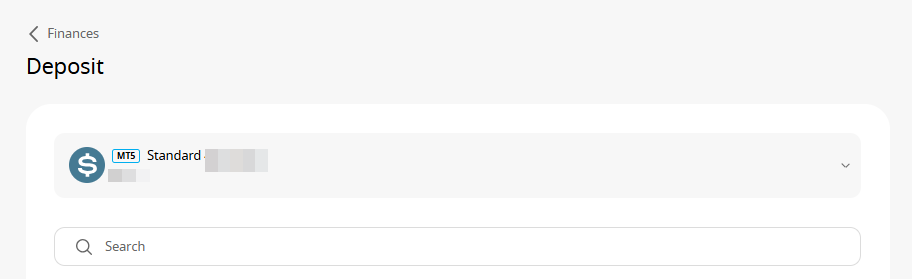
Choose “Local banks” option to see the ones available to you:

Fill in the required information to process your deposit:
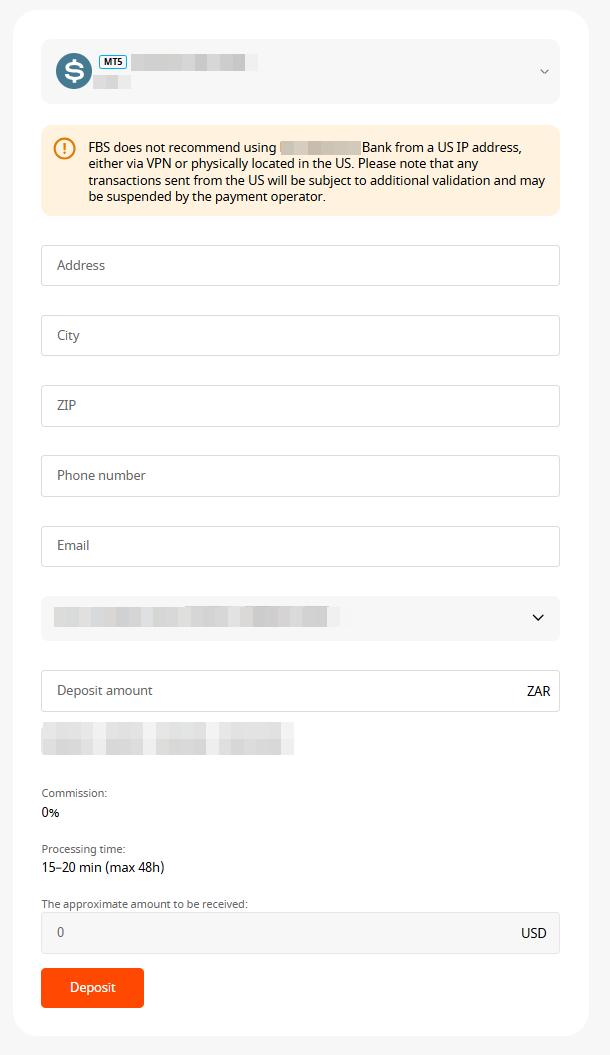
Please be aware that there might be certain minimum and maximum limits set by the payment system itself. The exact limits will be stated on the deposit page directly.
Click on “Confirm”.
You will be able to monitor the status of your financial requests in the Transaction History
Mobile:
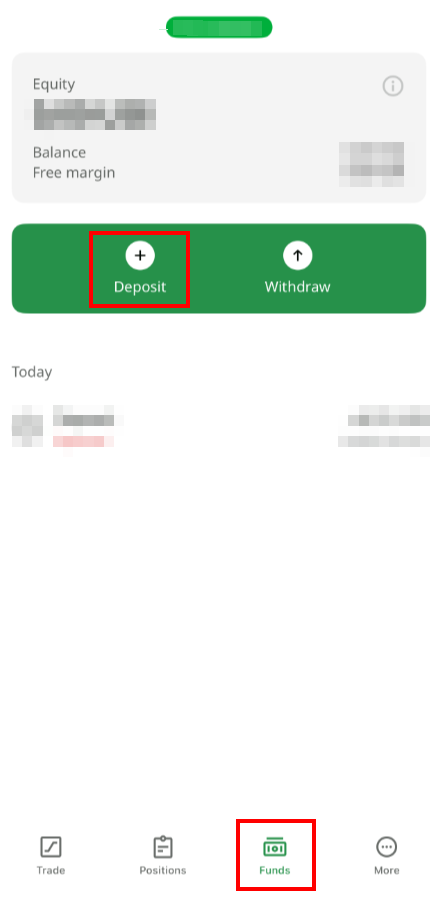
Click on "Funds" in the bottom menu and choose "Deposit":
Click on the payment system you prefer;
Fill in the required information to process your deposit.
Please be aware that there might be certain minimum and maximum limits set by the payment system itself. The exact limits will be stated on the deposit page directly.
Click on “Confirm”.
You will be able to monitor the status of your financial requests in the Transaction History