
Please, kindly be informed that you can change your leverage in your Trader Area account settings page.
This is how you can do it:
PC
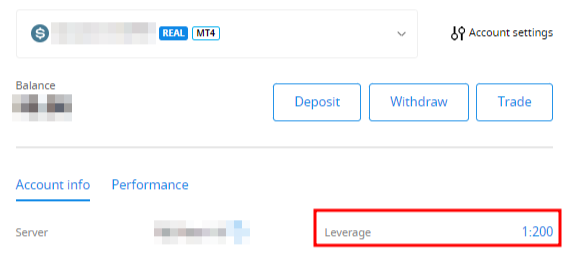
Select the account you want to change your leverage on Dashboard.
Find "Leverage" below the account number and click on the current leverage:
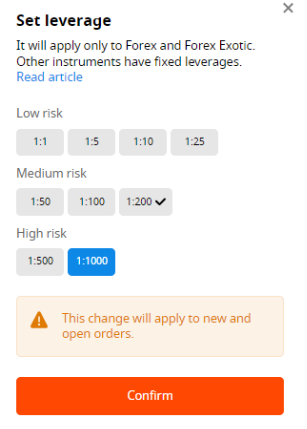
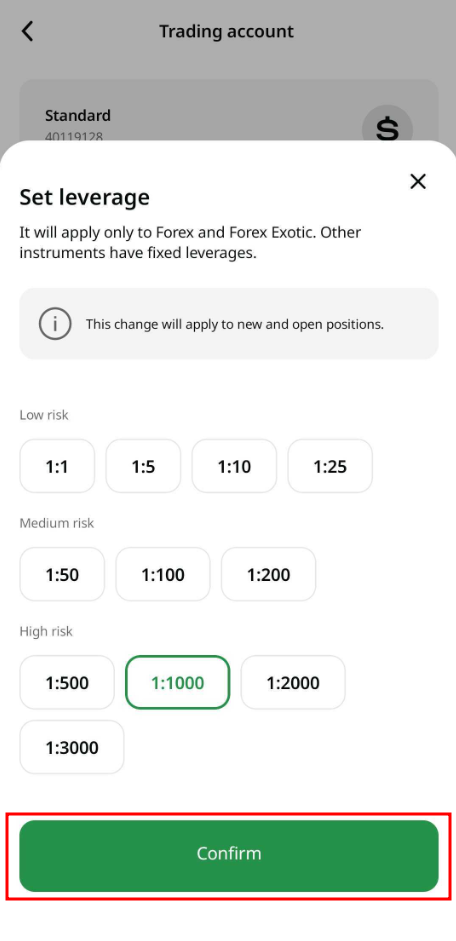
Set the necessary leverage and press the "Confirm" button:
Mobile
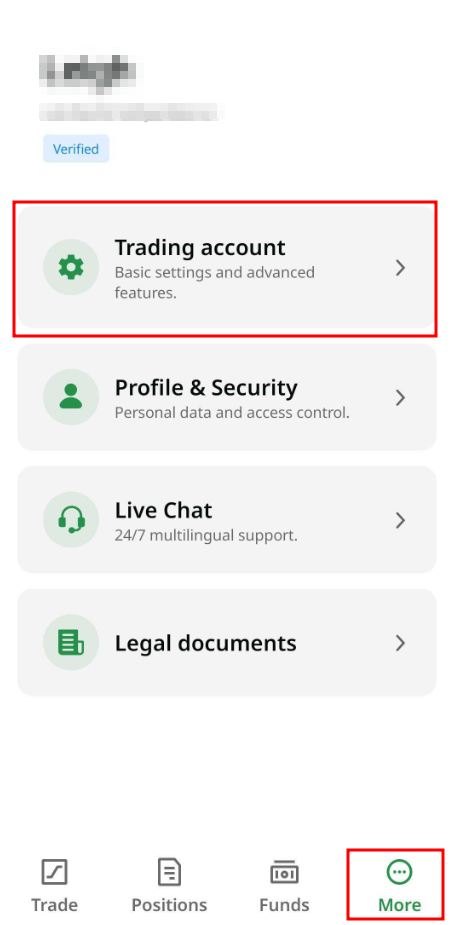
Click on "More" in the bottom menu and select "Trading account":
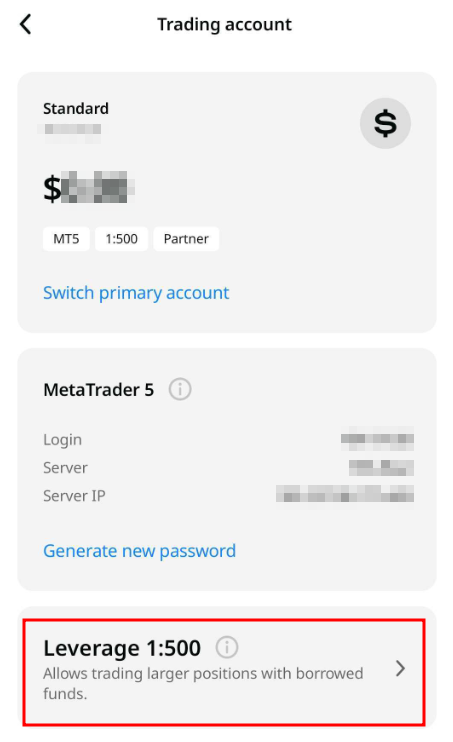
On the account settings page, click on "Leverage" :
Select the leverage you want and click on “Confirm”:
We want to remind you that we have specific regulations on leverage in correlation to the sum of equity. The Company is entitled to apply leverage change to already opened positions as well as to reopened positions according to these limitations.
Equity / Available on a Client's Trading account (USD or EUR) | Leverage |
0 - 199 | 1:3000 |
200 - 4999 | 1:2000 |
5000 - 29 999 | 1:1000 |
30 000 - 149 999 | 1:500 |
150 000 or more | 1:400 1:200 1:100 1:50 1:25 1:10 1:5 1:1 |
Please also be aware that the leverage for trading metals, indices, cryptocurrency, stocks, and energies on the Trading Account is fixed and does not depend on the leverage level selected by the client for the account. It is set at:
1:500 for derivatives on all metals;
1:200 for indices and energy derivatives (with the exception of paragraph 8.5.3);
1:500 for US30, US100, US500;
1:500 for crypto-based CFDs;
Up to 1:100 for stock CFDs.