
You can transfer money from one of your accounts to another in your Trader Area.
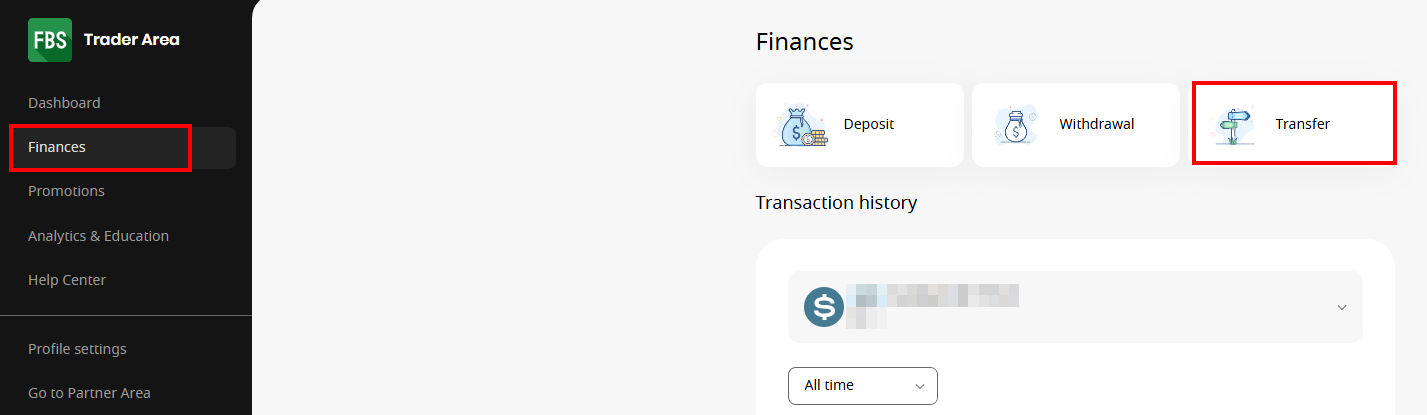
Click on "Finances" in the menu on the left and choose "Internal transfer":
Choose “From account” and “To account”.
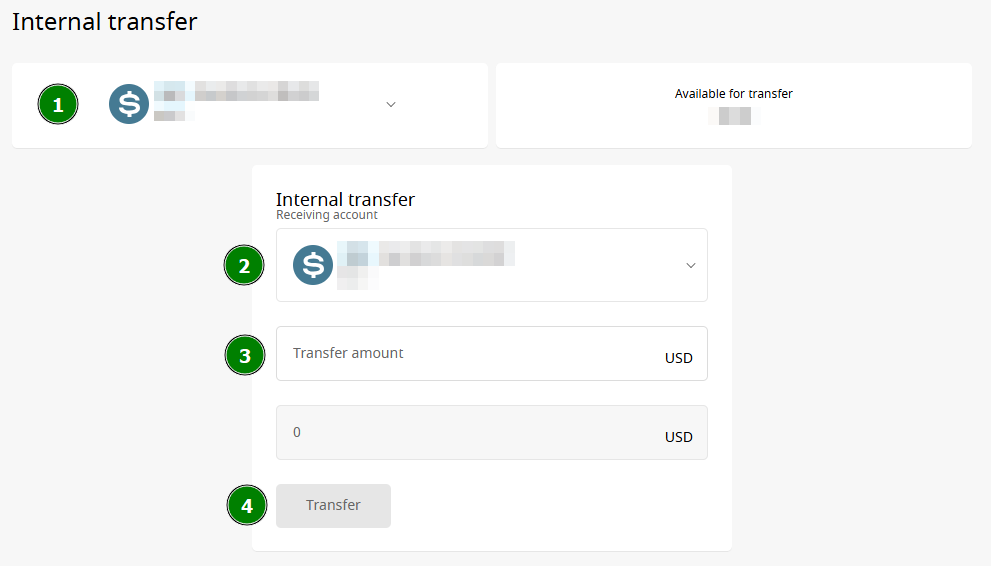
Where:
1 - Account you want to transfer from;
2 - Recieving account;
3 - The amount for transfer;
Click on the “Transfer” button.
Please, take into consideration that only the first ten internal transfers a day are processed automatically. Further transactions will be processed manually by the Financial Department and may take time.